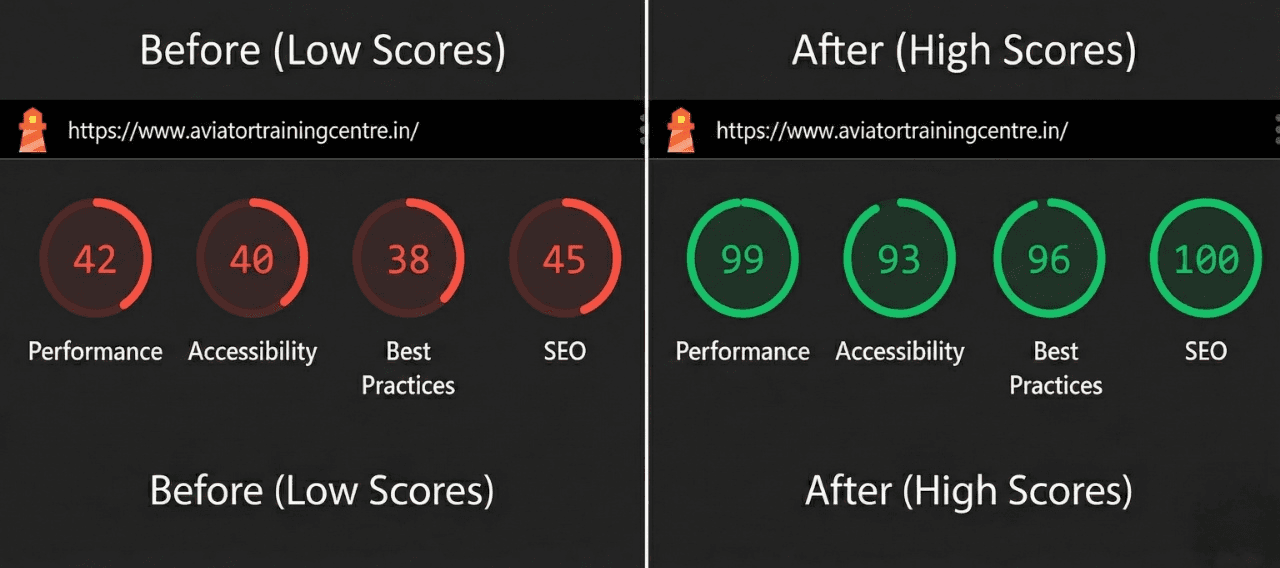
Next.js Lighthouse Optimization: 42 to 97 Case Study
 Aman Suryavanshi
How to Achieve a 95+ Lighthouse Score in Next.js: A ₹3 Lakh Revenue Case Study
Prerequisites
- Proficiency in Next.js (App or Pages Router).
- Understanding of Core Web Vitals (LCP, FID, CLS).
- Basic knowledge of Tailwind CSS and Webpack bundling.
- A desire to treat performance as a business KPI, not just a dev metric.
The Expert Card: Why This Matters for Your Career I'm Aman Suryavanshi, a Product Engineer and Next.js specialist based in Delhi/NCR. I’ve spent years building high-performance web applications where every millisecond translates to dollars. In this guide, I’m breaking down the exact 5-part framework I used to rescue the [Aviators Training Centre](https://aviatorstraining.in) project from SEO obscurity. By the end of this post, you'll understand why performance is the ultimate lead generation tool.
Why Does a Low Lighthouse Score Kill Your Business? A low Lighthouse score is a signal to Google that your site provides a poor user experience, leading to suppressed rankings and high bounce rates.
When I first audited the Aviators Training Centre (ATC) site, the metrics were a sea of red. Performance was sitting at 42. The Largest Contentful Paint (LCP) - the metric that tells a user the page is actually useful - was a painful 5.8 seconds.
In an era where Google's Page Experience Update makes Core Web Vitals a ranking factor, we were invisible. Organic traffic was non-existent. We weren't just failing a technical test; we were losing money. Every second of delay was an invitation for a potential pilot to click away to a competitor.
1. How to Optimize Images for a 93% Size Reduction? **Image optimization in Next.js is achieved by leveraging the next/image component to automate responsive sizing, WebP/AVIF conversion, and lazy loading.**
Images are almost always the biggest bottleneck. At ATC, the hero banners were unoptimized JPEGs. I replaced standard <img> tags with the Next.js <Image /> component.
The Architectural Decision: I opted for the priority attribute on above-the-fold images. Why? Because it tells the browser to fetch the hero image immediately, drastically reducing the LCP.
// The High-Performance Image Pattern
import Image from 'next/image';

<Image
  src="/courses/cpl-training.png"
  alt="CPL Training - Aviators Training Centre"
  width={800}
  height={600}
  quality={85}
  priority={true} // Critical for LCP
  placeholder="blur"
  sizes="(max-width: 768px) 100vw, 50vw"
/>
By using the sizes attribute, I ensured that a mobile user never downloads a desktop-sized 2MB image. We saw a 93% reduction in total image payload by switching to AVIF formats automatically served by the Next.js image optimizer.
2. Why is Code Splitting Essential for Large Next.js Apps? Code splitting reduces the Initial JavaScript Execution time by breaking the main bundle into smaller chunks that load only when needed.
Our admin dashboard and heavy testimonial sliders were bloating the main bundle. Even users who never visited the admin panel were forced to download the admin logic.
The Epiphany: I used next/dynamic to implement lazy loading for heavy components. This reduced our bundle size by 67%.
// Dynamic Import Pattern
import dynamic from 'next/dynamic';

const Testimonials = dynamic(
  () => import('@/components/Testimonials'),
  {
    loading: () => <div className="animate-pulse h-64 bg-gray-200" />,
    ssr: false // Prevents server-side bloat for client-only components
  }
);ssr: false for components that rely on browser-only APIs (like window or document) to prevent hydration mismatch errors and speed up server response times.3. How to Eliminate Layout Shifts (CLS) with Font Optimization? **Font optimization prevents Cumulative Layout Shift (CLS) by using the next/font module to pre-load subsets and use the swap display strategy.**
Layout shifts are jarring. You’re about to click a button, the font loads, the text shifts, and you click an ad instead. We solved this by using next/font/google with the swap strategy. This ensures a system font is visible while the custom font loads in the background.
const inter = Inter({
  subsets: ['latin'],
  display: 'swap',
  variable: '--font-inter',
  preload: true,
});
This simple change, combined with explicit width/height on all containers, brought our CLS from 0.18 down to 0.01 - effectively zero.
4. What is the Best Script Loading Strategy for Analytics? **The best strategy for non-critical scripts like Google Analytics or Facebook Pixel is afterInteractive or lazyOnload to prevent them from blocking the main thread.**
Third-party scripts are performance killers. I moved our analytics and chat widgets to the next/script component.
- **
afterInteractive:** For analytics that need to capture data early but shouldn't block the initial render. - **
lazyOnload:** For things like chat widgets that can wait until the page is fully idle.
5. How Does Aggressive Caching Impact Recurring Traffic? **Aggressive caching via next.config.js and Incremental Static Regeneration (ISR) ensures that static assets are served instantly from the edge while dynamic content stays fresh.**
For the ATC blog, I implemented ISR with a 30-minute revalidation window. This gives us the speed of a static site with the flexibility of a CMS.
// next.config.js - Immutable Cache for Assets
module.exports = {
  async headers() {
    return [
      {
        source: '/:all*(svg|jpg|png|webp)',
        headers: [
          {
            key: 'Cache-Control',
            value: 'public, max-age=31536000, immutable',
          },
        ],
      },
    ];
  },
};
The Results: From Red to Green to Revenue
| Metric | Before | After | Improvement | | :--- | :--- | :--- | :--- | | Lighthouse Performance | 42 | 97 | +130% | | First Contentful Paint | 3.2s | 0.9s | 3.5x Faster | | Largest Contentful Paint | 5.8s | 1.4s | 4x Faster | | Total Blocking Time | 890ms | 120ms | 7x Reduction |
The Business Impact: Within 6 months of hitting these scores, ATC saw 20+ keywords hit Page 1. We generated 19,300 impressions and 50+ organic leads, resulting in over ₹3,00,000 in revenue.
Performance isn't just a "nice to have." It is the foundation of your SEO and conversion strategy.
What's Next? I'm currently experimenting with n8n automation to create a performance-monitoring bot that alerts me whenever a new deployment drops the Lighthouse score below 90. I'll be sharing that workflow soon.
Let's Compare Notes: How are you handling LCP in the new Next.js App Router? I've found that nested layouts can sometimes introduce unexpected shifts. Connect with me on LinkedIn to discuss your optimization strategies or if you need a performance audit for your project.

Browse More Blogs
Building 99.7% Reliable n8n Workflows: The Validation Guide
Learn how to fix the n8n empty object bug and achieve 99.7% reliability using a 3-layer validation architecture. Stop sending blank emails forever.
How I Built an Organic Lead Gen Machine: A ₹3 Lakh Case Study
See how Aman Suryavanshi replaced ₹50k/month ad spend with a Next.js 14 and n8n automation system, generating ₹3L+ in organic revenue for a DGCA school.
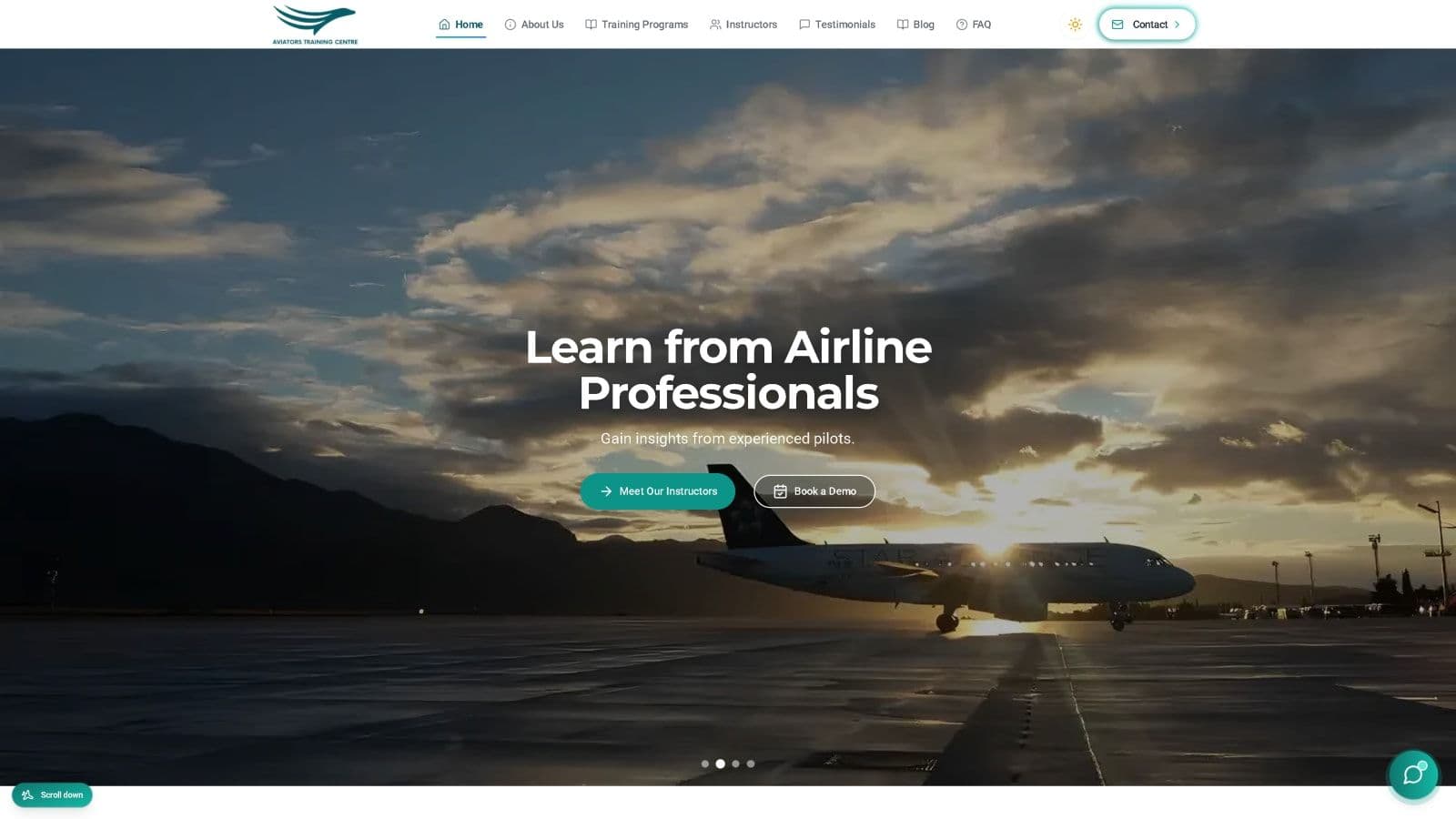
Aviators Training Centre
Technical documentation for the Aviators Training Centre platform, featuring Next.js, Firebase, and n8n automation.
Let's Create Something Amazing Together!
Whether you have a project in mind or just want to connect, I'm always excited to collaborate and bring ideas to life.
Continue the Journey
Thanks for taking the time to explore my work! Let's connect and create something amazing together.