A Developer's Guide to Building AI Agents with the Model Context Protocol (MCP)
 Aman Suryavanshi
Beyond Chatbots: A Developer's Guide to Building Real-World AI Agents with the Model Context Protocol (MCP)
As a Next.js and Automation Developer, I'm constantly on the lookout for technologies that don't just offer incremental improvements but fundamentally change how we build applications. For the past few years, I've been deep in the world of AI agents, and one standard has consistently proven to be a game-changer: the Model Context Protocol (MCP). If you've ever felt the friction of building custom, one-off integrations for every tool your LLM needs to use, then this guide is for you.
I want to move beyond the hype and show you, based on my real-world experience, how MCP acts as the missing link, turning Large Language Models from fascinating text generators into powerful, actionable agents that can interact with the world.
What is the Model Context Protocol (MCP)? The 'USB-C for AI' Explained
Think about the chaos before USB-C. We had a different cable and port for every device—one for the monitor, one for the keyboard, another for charging. It was an integration nightmare. That's exactly the problem we face today with AI models. Every data source, API, and tool has its own unique authentication, data format, and calling convention.
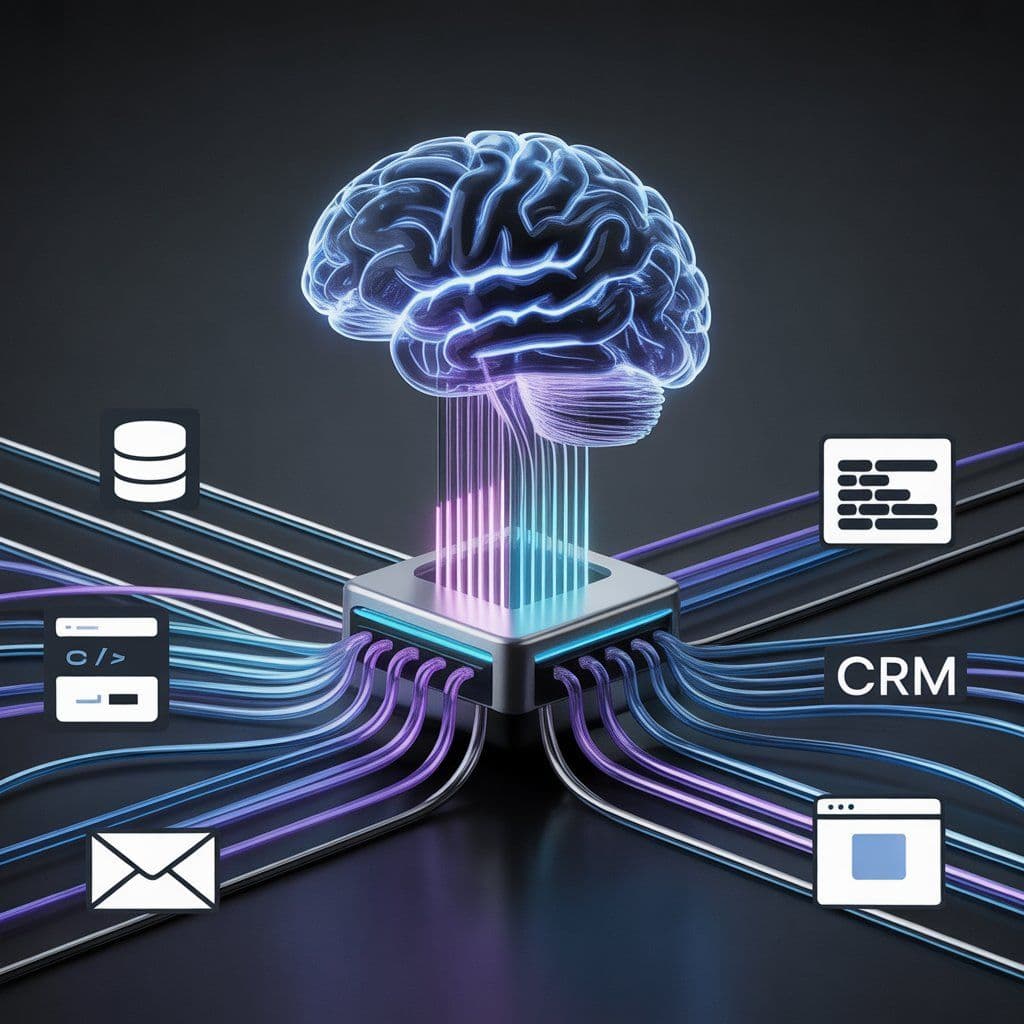
This is where MCP comes in. It's an open standard that creates a universal communication layer between AI models (like Claude or GPT-4) and the outside world. I like to call it the "USB-C port for AI." It standardizes how an AI agent discovers, understands, and uses external tools, data, and services. Instead of building a custom connector for every single tool, you build one MCP-compliant client for your AI and one MCP-compliant server for your tool. Suddenly, they just work together.
This isn't just a theoretical benefit. It's about radically simplifying the architecture of AI-powered applications and unlocking capabilities that were previously too complex to implement.
Solving the Core Challenge: The 'N x M' Integration Nightmare
Before MCP, if you had 'N' AI applications (a chatbot, a coding assistant, an automation workflow) and 'M' tools (a database, a CRM, a GitHub repo), you were looking at building and maintaining N * M custom integrations. Want to add a new tool? You have to update every single application. Want to build a new AI agent? You have to reintegrate it with all your existing tools. It’s a combinatorial explosion of work that kills scalability.
MCP collapses this problem from **N * M to N + M**. You implement the MCP standard on your clients (N) and your servers (M). Now, any client can talk to any server. My Claude agent can use the same Postgres MCP server that my GPT-4 coding assistant uses. This interoperability is the key.
This simple change has profound implications:
- Modularity: You can develop and deploy tools as independent MCP servers without touching your core AI application logic.
- Scalability: Adding the 40th tool to your ecosystem is just as easy as adding the 4th.
- Discovery: Agents can dynamically query an MCP server to see what tools it offers, understand their function from their docstrings, and decide how to use them on the fly.
From Theory to Practice: My Favorite Real-World MCP Applications
This is where it gets exciting. Let's move from the abstract to concrete examples of how I've used MCP to build powerful, automated systems.
1. Supercharging Workflow Automation with n8n
One of my favorite use cases is bridging the gap between natural language and structured automation. Platforms like n8n are incredible for building complex workflows, but they're traditionally triggered by webhooks or schedules. With MCP, I can make n8n both a tool provider and a tool consumer.
- n8n as an MCP Server: I can expose an entire n8n workflow as a single tool. For example, a workflow that takes a Slack message, performs sentiment analysis, creates a structured ticket in Jira, and notifies a support channel can be exposed as a tool called `createsupportticketfromslack
. My AI agent can now trigger this entire multi-step process with a simple command:"Claude, there's a critical bug report in the #dev-alerts channel, please create a ticket."` - n8n as an MCP Client: Conversely, within an n8n workflow, I can call out to other MCP servers. My workflow could hit an MCP server that scrapes a website with Puppeteer for data, or one that connects to my personal Notion to pull to-do items.
This creates a powerful, AI-driven orchestration layer. The AI agent acts as the brain, deciding what to do, while n8n and other tools act as the hands, performing the complex actions.
2. The Ultimate AI Coding Assistant
AI coding assistants like Cursor are great, but their true power is unlocked when they have context beyond the open file. Using MCP, I've connected my IDE directly to my development ecosystem.
Here's how it works in practice:
- Access to Private Codebases: I run a local MCP server that has secure access to our company's GitHub repositories. I can ask my AI assistant,
"Find all instances of the deprecated 'useLegacyAuth' function in the 'frontend-services' repo and suggest a refactor using the new 'AuthContextProvider'."The agent uses the MCP server to search the repo, retrieve the relevant files as resources, and then generate the code. - Up-to-Date Documentation: How often have you gotten code suggestions based on outdated documentation? I've set up an MCP server with a tool that uses
serper.devto search the latest documentation for a specific library (e.g., LangChain or Next.js) before generating code. This simple tool dramatically improves the quality and accuracy of the AI's suggestions. - Database Interaction: While developing, I can ask the AI to
"Generate 100 fake user records for the development database with realistic names and addresses."The AI uses a database MCP server to execute this command, populating my local database without me writing a single line of SQL or a custom script. This is the power of grounding the AI in my actual development environment.
This is often done using the stdio (Standard Input/Output) transport protocol, which is incredibly fast for local processes since the IDE manages the MCP server as a subprocess. There's no network latency, making the interaction feel instantaneous.
3. Intelligent Data and File Management
MCP's concept of "resources" allows servers to expose file-like data to an LLM. This could be the content of a local text file, the result of a database query, or even dynamically generated content. This has enabled me to build some incredibly useful personal utilities.
- Local File System Interaction: I've written a simple MCP server that has secure, sandboxed access to my
~/Downloadsfolder. I can give my AI agent a task like,"Organize my downloads folder. Move all images to './images', PDFs to './docs', and delete any duplicate files you find." - AI Sticky Notes: A fun but useful project was an "AI sticky notes" server. While I'm working, I can tell my agent,
"Take a note: the new API key for the staging server is XYZ-123."The agent calls a tool on my local MCP server that appends this text to anotes.txtfile on my desktop. It’s simple but effective. - Long-Term Memory: For more complex agents, I've integrated MCP with services like Mem Zero. This gives my agents long-term memory, allowing them to recall facts from previous conversations days or weeks later. The MCP server handles the interaction with the memory service, abstracting the complexity away from the agent's core logic.
4. Specialized and Niche Applications
The beauty of a standard is that it fosters an ecosystem. I've experimented with connecting my agents to some fascinating specialized MCP servers built by the community:
- Design & 3D Modeling: Connecting an agent to a Blender MCP server to generate 3D mockups from a text description or a Midjourney image.
- Web Browser Control: Using a Puppeteer-based MCP server to have an agent summarize a long article from a URL or fill out a web form.
- Real-Time Data: Plugging into a Coin Cap MCP server to get live cryptocurrency prices for a financial tracking agent.
Key Concepts for Building Your Own MCP Server
If you're ready to start building, there are a few core concepts from the protocol you need to understand.
The Agentic Loop: Thought -> Action -> Observation
At its heart, an MCP-powered agent operates in a loop. The LLM receives a prompt and thinks:
- Thought: "I need to find the latest Next.js documentation for
next/image. I should use the `searchlatestdocs` tool." - Action: The agent calls the `searchlatestdocs
tool on the relevant MCP server with the arguments{"library": "next.js", "topic": "next/image"}`. - Observation: The MCP server executes the tool and returns the result (the documentation text). The agent observes this result and loops back to the beginning, now equipped with new information to complete the user's request.
The Importance of Docstrings
How does the LLM know which tool to use? It reads the tool's description, or docstring. This is the single most critical part of defining your tools. A well-written, descriptive docstring is the difference between a tool that gets used correctly every time and one that the AI ignores. Be explicit about what the tool does, what arguments it expects, and what it returns.
For example, here's a Python snippet showing a simple tool. Notice how descriptive the docstring is:
# This is a simplified example
from pydantic import BaseModel, Field

class FileContent(BaseModel):
    content: str = Field(..., description="The full content of the file.")

class ReadFileTool(BaseModel):
    file_path: str = Field(..., description="The relative or absolute path to the file to be read.")

    def run(self) -> FileContent:
        """Reads the entire content of a specified text file from the local filesystem and returns it as a string. Use this tool when you need to access the information inside a local file."""
        with open(self.file_path, 'r') as f:
            content = f.read()
        return FileContent(content=content)
Server Lifespan Management
To avoid performance issues, you don't want to initialize a database connection or an API client every time a tool is called. MCP servers have a "lifespan" concept. This allows you to set up persistent clients (like a database pool) when the server starts and gracefully close them when it shuts down. This is crucial for building efficient and robust servers.
Conclusion: The Future is Composable AI
The Model Context Protocol is more than just another API standard; it's a foundational piece of infrastructure for the next generation of AI. It allows us, as developers, to move away from building monolithic, hard-coded AI applications and towards a future of composable, interoperable, and truly powerful AI agents.
By creating a universal standard for tool use, MCP is building an ecosystem where the value is not just in the models themselves, but in the specialized tools and data sources we can connect them to. For me, it has fundamentally changed how I approach building with AI, making it faster, more scalable, and infinitely more capable. I encourage you to explore it—start with a simple local server for your own files or a favorite API, and see what you can build.
Frequently Asked Questions (FAQ)
1. How is MCP different from frameworks like LangChain or LlamaIndex?
MCP is not a framework; it's a protocol. It defines how an AI agent and a tool communicate, but not how to build the agent itself. Frameworks like LangChain and LlamaIndex are excellent for building the agent's reasoning logic (the "brain"). In fact, they can be powerful MCP clients. You can use LangChain to build your agent and have it use tools from multiple MCP servers. They solve different parts of the same problem and are highly complementary.
2. What languages can I use to build an MCP server?
The community has developed official SDKs for many popular languages, including Python, TypeScript/JavaScript, Java, Kotlin, and C#. This makes it easy to integrate into your existing tech stack. I personally use the Python and TypeScript SDKs most frequently.
3. Is it difficult to get started with building an MCP server?
Not at all. The official SDKs and community templates make it very straightforward. You can create a basic server that exposes a few functions as tools in under an hour. The key is to start small: create a tool that does one thing well, write a great docstring for it, and test it with the MCP Inspector (npx @modelcontext/protocol/inspector), a handy debugging tool.
4. Is MCP secure?
Security is a shared responsibility. The protocol itself is a communication standard. When you build an MCP server, you are responsible for implementing the necessary security measures, just as you would with any web server or API. For local tools (like an IDE assistant), running the server as a sandboxed subprocess is a common and effective pattern. For remote servers, you should implement standard authentication and authorization mechanisms (e.g., API keys, OAuth) to control access to your tools.

Browse More Blogs
Building 99.7% Reliable n8n Workflows: The Validation Guide
Learn how to fix the n8n empty object bug and achieve 99.7% reliability using a 3-layer validation architecture. Stop sending blank emails forever.
Next.js Lighthouse Optimization: 42 to 97 Case Study
See how Aman Suryavanshi optimized Next.js performance from 42 to 97 Lighthouse score, driving ₹3L+ revenue. Learn image, code, and font optimization.
How I Built an Organic Lead Gen Machine: A ₹3 Lakh Case Study
See how Aman Suryavanshi replaced ₹50k/month ad spend with a Next.js 14 and n8n automation system, generating ₹3L+ in organic revenue for a DGCA school.
Let's Create Something Amazing Together!
Whether you have a project in mind or just want to connect, I'm always excited to collaborate and bring ideas to life.
Continue the Journey
Thanks for taking the time to explore my work! Let's connect and create something amazing together.